

Production incidents rarely start with a single dramatic failure.
More often, they begin with something that looks harmless:
A deployment that doesn't finish.
A container that keeps restarting.
An Nginx upstream that suddenly becomes unavailable.
An application that works perfectly on a developer's machine but starts returning 502s in production.
I've learned that these problems are rarely just "deployment issues." They are usually symptoms of a deeper infrastructure problem.
In one AWS environment I worked on, I had to troubleshoot exactly this kind of situation. The application itself wasn't the only thing that needed attention. The deployment process, container lifecycle, reverse proxy configuration, application processes, and operational visibility all had to work together.
The goal wasn't simply to get the application running again.
The goal was to make the environment predictable, observable, and safe to deploy.
The Core Problem#
The application was running in a cloud environment with several moving pieces:
- Application containers
- Docker
- Nginx
- Application workers
- Database services
- CI/CD deployment
- Environment configuration
- Cloud infrastructure
Individually, none of these components was particularly unusual.
The problem was the interaction between them.
A deployment could trigger a sequence like:
Git push
   v
CI/CD pipeline
   v
Docker image build
   v
Image pull
   v
Container restart
   v
Application startup
   v
Nginx upstream
   v
Production traffic
If any step failed, the final symptom could simply be:
502 Bad GatewayThat made the initial debugging misleading.
The application wasn't necessarily broken.
The database wasn't necessarily broken.
Nginx wasn't necessarily broken.
The failure could be somewhere between those components.
This is one of the most important lessons I've learned working with production infrastructure:
Debug the system, not just the error message.
Architecture / Technical Deep-Dive#
The first thing I did was stop treating the application as a single unit.
I mapped the request path:
                    Internet
                       |
                       v
                    Nginx
                       |
              +--------+--------+
              |                 |
              v                 v
        Web Application     Static Assets
              |
              v
        Application Layer
              |
       +------+------+
       |             |
       v             v
   Database       Redis/Cache
Alongside this request path was the deployment path:
Developer
    |
    v
Git Repository
    |
    v
CI/CD Pipeline
    |
    v
Docker Build
    |
    v
Container Registry
    |
    v
Production Server
    |
    v
Container Restart
This separation was important.
The request path tells me how users reach the application.
The deployment path tells me how new application versions reach production.
A reliable production environment needs both to be healthy.
Step 1: I Started With the Infrastructure, Not the Code#
When an application starts returning errors after a deployment, the instinct is often to immediately inspect application code.
I don't start there.
I first verify the infrastructure.
My initial checklist is:
docker ps
docker ps -a
docker images
docker logs <container>
Then I inspect the reverse proxy:
sudo nginx -t
sudo systemctl status nginx
And finally I verify that the expected application port is actually listening:
ss -tulpnThis quickly answers several important questions:
- Is the container running?
- Did it restart?
- Is the application process alive?
- Is the expected port exposed?
- Can Nginx reach the application?
- Is Nginx configuration valid?
This approach prevents guessing.
Step 2: The 502 Error Was Only the Symptom#
One of the most common production mistakes is treating a 502 Bad Gateway as an Nginx problem.
Nginx is often simply reporting:
"I tried to reach the application upstream, but I couldn't."
The real issue could be:
- Container stopped
- Application crashed
- Wrong port
- Incorrect upstream
- Container networking problem
- Process not listening
- Application failed during boot
- Deployment restarted services in the wrong order
So instead of immediately changing Nginx configuration, I trace the request backwards.
Browser
  v
Nginx
  v
Upstream
  v
Container
  v
Application process
  v
Database / Redis / External APIs
The first component that breaks the chain is where I investigate.
Step 3: Docker Became Part of the Debugging Process#
Containerization gives us consistency, but it also changes how we troubleshoot.
A container being "up" doesn't necessarily mean the application is healthy.
For example:
docker psmight show:
CONTAINER ID   STATUS
abc123         Up 2 minutes
But the application inside it may still be failing.
That's why I inspect the logs:
docker logs --tail 200 <container>For Laravel applications, I also inspect application logs:
tail -n 200 storage/logs/laravel.logThe important distinction is:
Container health Application healthThis is why production systems need meaningful health checks instead of relying only on container status.
Step 4: I Checked Configuration Before Changing Infrastructure#
Environment configuration is one of the easiest things to overlook during deployments.
A production application might depend on:
APP_ENV=production
APP_KEY=...
DB_HOST=...
DB_DATABASE=...
DB_USERNAME=...
DB_PASSWORD=...
REDIS_HOST=...
A new container can start successfully while still having incorrect runtime configuration.
So I verify:
docker exec <container> envwhere appropriate, without exposing secrets.
I also verify that configuration changes actually reached the running application.
For Laravel applications, cached configuration can introduce another layer:
php artisan config:clear
php artisan config:cache
The important lesson is not the command itself.
It's understanding that:
Changing an environment variable doesn't automatically mean the running application is using it.
Step 5: I Treated Nginx as a Reverse Proxy, Not the Application#
A clean Nginx configuration should make the responsibility of each layer obvious.
Conceptually:
location / {
    proxy_pass http://application;
}
The reverse proxy should route traffic.
The application should handle business logic.
Docker should manage application processes.
CI/CD should deliver application versions.
AWS should provide the underlying infrastructure.
Keeping these responsibilities separate makes debugging much easier.
I also always validate configuration before reloading:
sudo nginx -tOnly after the configuration passes validation should it be reloaded.
That small habit prevents turning a configuration problem into a larger outage.
Step 6: I Made Deployment Less Dependent on Manual Intervention#
A production deployment shouldn't depend on someone remembering a sequence of commands.
A typical manual deployment might look like:
SSH
v
git pull
v
docker build
v
docker stop
v
docker start
v
clear cache
v
restart workers
v
check logs
The problem isn't that these commands are difficult.
The problem is that humans are inconsistent.
A CI/CD pipeline gives the process a repeatable definition.
A simplified deployment flow becomes:
Commit
  v
Tests
  v
Build
  v
Docker Image
  v
Deploy
  v
Health Check
  v
Production
This is where DevOps becomes much more than "setting up a server."
It's about reducing operational uncertainty.
A Safer Deployment Pipeline#
For production applications, I prefer separating deployment into explicit stages.
stages:
  - test
  - build
  - deploy
  - verify
Conceptually:
TEST
 |-- Unit tests
 |-- Static checks
 +-- Build validation

BUILD
 +-- Docker image

DEPLOY
 |-- Pull image
 |-- Update service
 +-- Restart required processes

VERIFY
 |-- Health check
 |-- HTTP check
 +-- Log verification
The final verification stage is particularly important.
A deployment is not successful because Docker returned exit code 0.
It is successful when the application is actually serving traffic correctly.
Health Checks Matter#
A basic health endpoint can be as simple as:
GET /healthReturning:
{
  "status": "ok"
}
But a useful production health check can go further.
For example:
Application
    |
    |-- Database connectivity
    |
    |-- Cache connectivity
    |
    +-- Required dependencies
The purpose isn't to expose internal infrastructure to users.
The purpose is to give automation a reliable way to determine:
"Can this application safely receive traffic?"
AWS Is Infrastructure, Not a Magic Fix#
Cloud platforms make infrastructure easier to provision, but they don't eliminate operational problems.
AWS gives you powerful building blocks.
You still need to design:
- Networking
- Security
- Storage
- Application deployment
- Logging
- Monitoring
- Backups
- Recovery
- Access control
For example, object storage can be separated from application servers.
For file-heavy applications, Amazon S3 can provide durable and scalable storage rather than forcing application servers to manage everything locally.
I've used S3 for cloud-based file management systems where application-level access control is combined with cloud storage. This keeps the application responsible for authorization while the storage layer handles the underlying objects.
What I Learned About Production Debugging#
The biggest lesson wasn't a particular AWS service or Docker command.
It was the debugging methodology.
When production breaks, I follow the request path.
1. Is the server healthy?#
uptime
free -h
df -h
2. Is the container running?#
docker ps3. Is the application process healthy?#
docker logs <container>4. Is the expected port listening?#
ss -tulpn5. Can Nginx reach the application?#
sudo nginx -t6. Is the application configuration correct?#
Check environment configuration and cached configuration.
7. Are dependencies available?#
Verify:
Database
Redis
External APIs
Storage
8. Does the application respond?#
curl -I http://localhostOnly after this sequence do I start making infrastructure changes.
Pitfalls I Avoid Now#
1. Restarting Everything Immediately#
Restarting every service feels productive.
It often isn't.
You lose the evidence that could tell you what actually failed.
I prefer:
Observe
v
Identify
v
Change
v
Verify
rather than:
Something is broken
v
Restart everything
v
Hope
2. Changing Multiple Things at Once#
If I change:
- Nginx
- Docker
- environment variables
- database configuration
all at the same time, I may fix the problem without knowing why it happened.
That makes the next incident harder.
Instead, I change one layer at a time whenever possible.
3. Treating Logs as an Afterthought#
Logs should be part of the debugging strategy from the beginning.
I want visibility at multiple layers:
AWS / Server
      v
Nginx
      v
Docker
      v
Application
      v
Database
Each layer answers a different question.
4. Assuming "Works Locally" Means Anything#
A developer machine and production environment are fundamentally different.
Production introduces:
- Network boundaries
- Reverse proxies
- Containers
- TLS
- Environment configuration
- Resource limits
- Concurrent traffic
- External dependencies
So I try to make environments as deterministic as possible through containerization and automation.
DevOps Practices I Follow#
Over time, these incidents have shaped the way I approach cloud infrastructure.
Infrastructure Should Be Reproducible#
If rebuilding a server requires undocumented manual steps, the infrastructure has hidden knowledge.
I try to eliminate that.
Deployments Should Be Repeatable#
The same commit should produce the same deployable artifact.
Docker helps create that consistency.
Production Changes Should Be Verifiable#
Every deployment should have a verification step.
Deploy
v
Health Check
v
Traffic
Logs Should Be Actionable#
Logs shouldn't simply exist.
They should help answer:
- What failed?
- When did it fail?
- Which service failed?
- What changed immediately before the failure?
Backups Are Not Enough#
A backup that has never been restored is an assumption.
Recovery procedures should be tested.
Least Privilege Matters#
Production access should be limited to what each person or service actually needs.
Automation Beats Tribal Knowledge#
If only one engineer knows how production works, that's a reliability risk.
Document it.
Automate it.
Make the process repeatable.
The Bigger Lesson#
Cloud infrastructure is often presented as a collection of services:
AWS
Docker
Nginx
CI/CD
S3
Databases
Redis
But production engineering isn't about knowing the names of those services.
It is about understanding how they interact.
A deployment failure can originate in the application but appear in Nginx.
A container can be healthy while the application is broken.
An environment variable can be correct in CI but wrong inside a running container.
A server can have plenty of CPU while the application is still unavailable.
That's why I approach DevOps problems as systems problems.
I trace the complete path:
Code
 v
Build
 v
Artifact
 v
Deployment
 v
Container
 v
Application
 v
Reverse Proxy
 v
Infrastructure
 v
User
Every layer has to work.
Key Takeaways#
The most valuable thing I gained from working through production infrastructure problems wasn't another AWS command.
It was a better operational mindset.
My core principles are:
- Don't debug from the error message alone.
- Trace the complete request path.
- Separate application health from container health.
- Automate deployments wherever possible.
- Validate infrastructure changes before applying them.
- Use health checks instead of assuming a successful deployment means a healthy application.
- Keep logs available at every important layer.
- Make infrastructure reproducible.
- Avoid making multiple unrelated changes during an incident.
- Design production systems for recovery, not just successful operation.
The best DevOps work is often invisible.
When everything is working, nobody notices the infrastructure.
Deployments happen predictably.
Failures are diagnosable.
Rollbacks are possible.
Logs tell you what happened.
And developers can focus on building the product instead of fighting the environment.
That's the standard I try to build toward whenever I take ownership of cloud infrastructure.
Share this technical insight with your network
Share to LinkedIn or Facebook with key takeaways, featured media, and direct links.
Case Study: Violerts - Enterprise NYC PropTech Compliance & Violation Monitoring SaaS
Violerts is a PropTech SaaS platform that consolidates fragmented NYC municipal property data into a single compliance intelligence platform. I led the modernization of the React frontend and Laravel backend, building multi-agency data ingestion, GIS mapping, asynchronous scraping, real-time alerts, team collaboration, and Stripe-powered SaaS billing.
Related Technical Articles
View all articles →
Engineering Scalable SaaS: Architectural Patterns for AI & Logistics
Discover how to build high-performance, AI-integrated SaaS solutions. From mitigating LLM hallucinations to optimizing Laravel and Next.js performance, learn the architectural patterns that drive results.

Beyond Documentation: What Production Engineering Teaches You About Software Architecture
Theoretical knowledge only takes you so far. Discover why real-world engineering begins in production navigating third-party latency, database scale, AI workflows, and architectural trade-offs.
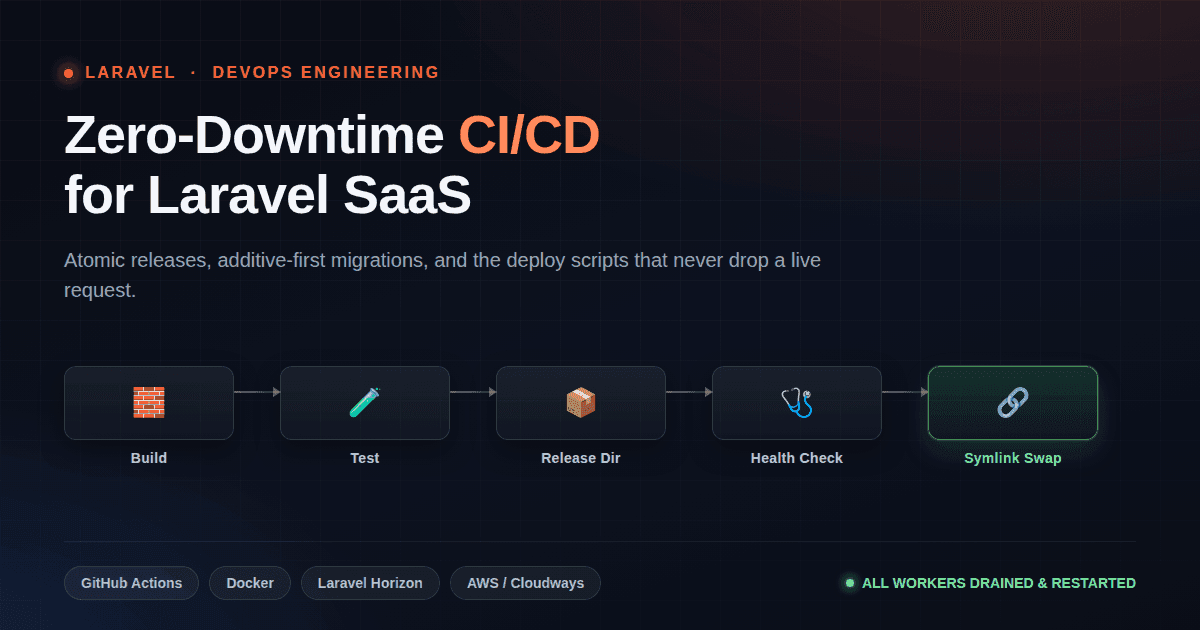
Zero-Downtime Deployments: CI/CD for Laravel SaaS
git pull && composer install && php artisan migrate is not a deploy strategy — it's how live users get 500 errors mid-request.
Have a complex technical project in mind?
Available for full-stack engineering, performance audits, cloud deployments, and high-concurrency systems architecture.